Law Firm Phone Systems: Getting Calls to the Right Attorneys and Staff
What The Customer Said
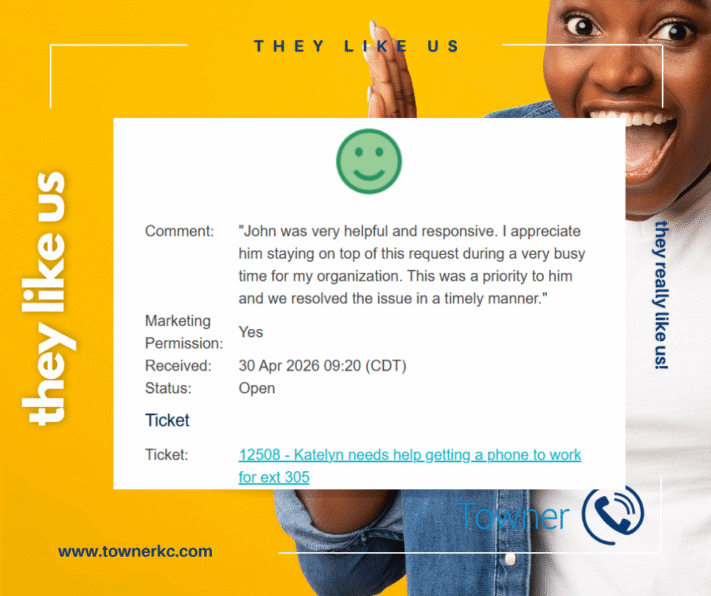
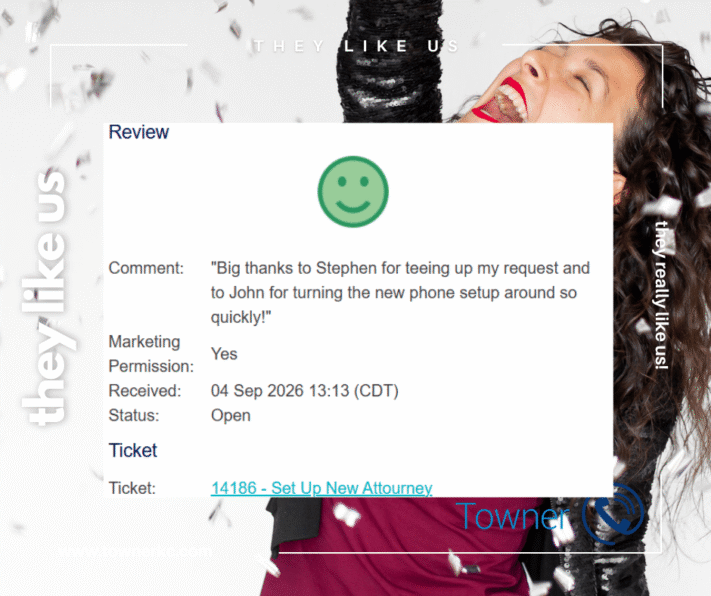
“Big thanks to Stephen for teeing up my request and to John for turning the new phone setup around so quickly!”
How Towner Supported a Law Firm Phone System Change
Law firm phone systems have to do more than make phones ring.
They need to reflect how the firm actually works.
Attorneys, administrative personnel and support teams may work in the same firm, but they don’t necessarily handle the same calls. Direct numbers, call groups and routing rules need to account for those differences.
That distinction became important during a recent request from a law firm customer.
The firm needed Towner to configure phone service for a new attorney. The work included assigning an available direct number and configuring the phone appropriately.
Then another question came up:
Should the attorney also be included in the office’s Staff Call Group?
Towner asked rather than assuming.
The customer confirmed that the group was specifically for support staff, so the attorney wasn’t added.
The phone was configured, successfully registered, and Towner followed up to verify the result.
It was a routine request.
But it’s a good example of something that matters when managing communications for a law firm:
The phone system should follow the firm’s workflow, not the other way around.
Key Takeaways From This Customer Review
Customer Need
A law firm needed to configure its business phone system for a new attorney without disrupting existing call routing for attorneys and support staff.
Communication Requirement
The new attorney needed a direct phone number and the appropriate phone configuration while remaining outside a call group specifically used by the firm’s support staff.
Solution Implemented
Towner configured the attorney’s phone service, assigned an available direct number, matched the appropriate phone settings, confirmed the firm’s call-group requirements, and verified that the phone successfully registered.
Business Outcome
The new attorney was ready to communicate using the firm’s phone system while existing call routing for support staff remained unchanged.
Why This Matters
Law firms can have very different communication requirements for attorneys, receptionists, intake personnel, administrative teams and support staff.
A properly configured business phone system allows those differences to be reflected in how calls are routed and answered.
Quick Answer
Quick Answer: What Should a Law Firm Phone System Support?
A law firm phone system should help callers reach the appropriate attorney or staff member while supporting the firm’s internal workflows. Depending on the practice, this may include direct dial numbers, call groups, automated attendants, voicemail, call routing, mobile and desktop calling, multiple offices, and the ability to modify users and configurations as the firm changes.
Quick Answer
| Law Firm Need | How the Phone System Can Support It |
|---|---|
| Attorneys | Direct numbers, voicemail and appropriate call routing |
| Reception | Main-number and incoming-call handling |
| Support staff | Shared call groups and defined routing |
| Client intake | Dedicated call routing or groups |
| Multiple offices | Location-specific numbers and call flows |
| Remote users | Supported mobile and desktop communications |
| Staffing changes | User, number and routing configuration updates |
The right configuration depends on the firm’s structure. The important part is that the technology reflects who should receive which communications.
What Makes a Law Firm Phone System Different?
The underlying technology in a law firm’s phone system may be similar to what other organizations use.
The difference is often in the configuration.
A law firm may need communications workflows that distinguish among attorneys, reception, administrative personnel, support teams, client intake functions and multiple offices.
An attorney might need a direct number while general calls are answered by reception. A support team might share a call group that attorneys shouldn’t receive. Another location might require its own main number and call flow.
The phone system needs to account for those operational differences.
That’s why selecting the technology is only part of building effective business communications for a law firm.
How it is configured matters just as much.
Why Call Routing Matters for Law Firms
Every incoming call has a destination.
Good law firm call routing makes that destination intentional.
Depending on the firm’s workflow, incoming calls might need to reach:
- An individual attorney
- Reception
- Administrative personnel
- Client intake
- A support team
- A specific practice group
- Another office
- An automated attendant
- Voicemail
- An after-hours destination
Poorly configured routing can create unnecessary transfers, interrupt employees who shouldn’t receive particular calls or make it harder for callers to reach the appropriate person.
The objective isn’t to create an elaborate call flow.
It’s to make a potentially complicated organization feel simple to the caller.
The Story Behind This Customer Review
The request started with a new attorney who needed phone service configured.
Once Towner received the necessary information, John reviewed the customer’s existing communications environment.
An available phone number was already present in the account, so he assigned it to the attorney. He also copied the appropriate line-key settings from another user associated with the same office.
Then he noticed the existing Staff Call Group.
Instead of automatically adding the attorney because she was associated with that office, John asked whether she belonged in the group.
The customer clarified that the call group was intended only for support staff.
So she wasn’t added.
The distinction was small.
The effect wasn’t.
The attorney received the configuration appropriate for her role without changing the established call flow for the firm’s support team.
Sometimes good telecommunications support means solving a complicated problem.
Sometimes it means knowing which box not to check.
Why Attorneys and Support Staff May Need Different Call Routing
A call group allows designated users to receive calls directed to a shared destination.
For a law firm, that can be useful when several people share responsibility for handling certain types of incoming calls.
But group membership should be intentional.
A support team might need calls distributed among several staff members. Attorneys might instead receive appropriate calls through direct numbers, transfers or other routing arrangements.
Putting users into groups simply because they work in the same office can create unnecessary interruptions.
That’s why call routing should be based on responsibility, not merely location.
In this customer interaction, the attorney worked within the same office environment as the support staff but did not share the same call-handling responsibility.
The phone-system configuration reflected that distinction.
Why Direct Numbers Matter in Law Firm Communications
A Direct Inward Dial number, commonly called a DID or direct number, can allow a caller to reach a particular user without first navigating the firm’s main number.
That can be useful for attorneys and other employees who need an appropriate direct point of contact.
But a direct number doesn’t operate in isolation.
The communications environment may also need to account for:
- Unanswered-call behavior
- Voicemail
- Caller ID
- Call forwarding
- Call-group membership
- Office-specific routing
- After-hours handling
As firms change, those configurations need to change with them.
Why Are Calls Ringing the Wrong People at a Law Firm?
When calls start reaching employees who shouldn’t receive them, the phone itself isn’t necessarily the problem.
Potential causes can include:
- Incorrect call-group membership
- Outdated call routing
- Call-forwarding rules
- Direct-number assignments
- Automated-attendant destinations
- User changes that weren’t reflected throughout the system
- Old configurations remaining after employees changed roles or left
The correct solution depends on how the call reached the user.
That’s why troubleshooting call-routing problems should begin by understanding the intended workflow before changing configurations.
Why Verification Matters After a Law Firm Phone System Change
Making a configuration change is only part of the process.
The change still needs to work.
After Towner completed this customer’s configuration, the phone needed to register with the network and display the updated information.
Towner followed up the next morning, confirmed that the device was registered and asked the customer to verify the result.
The customer responded:
“All good on this end, John, and thanks for the follow up.”
Only then was the ticket completed.
That last step matters.
A configuration that looks correct from the administrative side isn’t nearly as useful as one that’s been confirmed to work for the person actually using it.
What This Review Tells Us About Law Firm Phone System Support
The customer’s review highlights the speed of the response.
The service interaction reveals something equally important:
context matters.
Towner’s team considered the attorney’s number, existing office configuration, phone settings, call-group membership and successful device registration.
None of those tasks individually represented a major telecommunications project.
Together, they determined whether the phone behaved the way the firm expected.
That’s the difference between simply administering a phone system and supporting the communications environment around it.
Common Law Firm Phone System Changes
Law firms change as attorneys, employees, responsibilities and offices change.
Those changes can require updates such as:
- Configuring phones for attorneys and staff
- Assigning or changing direct numbers
- Updating extensions
- Adding or removing users from call groups
- Changing incoming call routing
- Updating automated attendants
- Modifying voicemail destinations
- Changing caller ID information
- Supporting new offices
- Adjusting after-hours routing
- Supporting mobile or remote users
- Removing former employees
- Reassigning numbers
- Updating configurations when responsibilities change
Routine administration matters because outdated configurations can eventually become call-routing problems.
Law Firm Phone Systems for Multiple Offices
Multi-office law firms introduce another consideration: not every location necessarily handles calls the same way.
A firm may want individual offices to maintain local numbers and call-routing rules while remaining part of a connected communications environment.
Some employees may work across locations. Certain support teams may handle calls for multiple offices. Other groups may remain location-specific.
A properly configured communications platform can accommodate those differences while maintaining centralized administration.
The goal isn’t to make every office identical.
It’s to connect them without losing the workflows that make each location function.
Law Firm Phone System Onboarding and Offboarding
Personnel changes affect more than a name displayed on a phone.
When an attorney or staff member joins, changes roles or leaves a firm, the communications environment may require updates to:
- User access
- Direct numbers
- Extensions
- Caller ID
- Voicemail
- Call groups
- Call forwarding
- Routing rules
- Mobile or desktop applications
Reviewing the complete configuration helps prevent outdated settings from continuing to affect calls after the organizational change.
This is especially important when direct numbers or shared call-routing groups are involved.
Need Help With a Law Firm Phone System?
A law firm’s communications technology should support the way its attorneys and staff work.
Towner provides business phone systems, cloud communications, unified communications and telecommunications support for professional organizations.
Whether the need involves direct numbers, call routing, call groups, user configuration, troubleshooting or a broader communications change, the objective is the same:
Make the technology fit the firm, not the firm fit the technology.
Expert Insight
When reviewing a law firm’s phone system, start with people and call flow rather than technology.
Determine which callers should reach attorneys directly, which calls should reach reception or support personnel, how unanswered calls should be handled, and which employees actually belong in shared call groups.
Once those workflows are clear, the phone system can be configured around them.
Related Law Firm Phone System Issues
Organizations looking for help with law firm phone systems may also be dealing with:
- Calls reaching the wrong attorney
- Calls ringing employees who shouldn’t receive them
- Incorrect direct-number routing
- Outdated call-group membership
- Former employees remaining in call flows
- Voicemail routing problems
- Auto-attendant changes
- Caller ID configuration
- Multiple-office call routing
- Remote-user configuration
- Phone registration problems
- General business phone system administration
Many of these issues aren’t hardware failures.
They’re configuration problems.
Knowing the difference is often the first step toward fixing them.
Supporting Law Firms and Professional Services Organizations Across the Midwest and Nationwide
Towner supports business communications for organizations across Kansas, Missouri, the broader Midwest and nationwide.
Cloud communications and remotely administered business phone systems can allow telecommunications support to extend across users and offices without requiring every change to happen onsite.
For multi-location professional services organizations, that means communications can be managed as a connected environment while still accommodating the requirements of individual offices, teams and users.
Frequently Asked Questions About Law Firm Phone Systems
What is the best phone system for a law firm?
There isn’t one phone system that’s best for every law firm. The right solution depends on factors such as firm size, number of offices, call volume, attorney and staff workflows, direct-number requirements, remote work, integrations and support needs. The system should be selected and configured around how the firm actually communicates.
How should a law firm route incoming calls?
Law firms can route calls according to the responsibilities of attorneys, receptionists, intake personnel, administrative teams and support staff. General calls might enter through reception or an automated attendant while appropriate callers can reach attorneys through direct numbers or transfers.
Should attorneys be included in staff call groups?
Not automatically. Whether an attorney belongs in a particular call group depends on the firm’s workflow. In the customer experience highlighted here, the existing Staff Call Group was intended for support personnel, so the new attorney was intentionally not added.
What’s the difference between a direct number and a law firm’s main number?
A direct number can route a caller to a particular user or destination. A firm’s main number typically enters a broader call flow such as reception or an automated attendant before the caller reaches an individual employee or group.
Can a law firm phone system support multiple offices?
Yes. Business communications platforms can support users, numbers and routing across multiple locations while allowing individual offices to maintain different call flows when necessary.
What happens to the phone system when an attorney joins or leaves a law firm?
The firm may need to create or remove users, assign or reclaim numbers, update caller ID and voicemail, modify call groups, change routing and review other settings associated with that person. Reviewing the complete configuration helps prevent outdated routing or access from remaining in place.
What features should a law firm phone system have?
Common law firm phone-system capabilities include direct dial numbers, automated attendants, call routing, call groups, voicemail, mobile and desktop applications, conferencing, messaging and multi-location support. The appropriate feature set depends on the firm’s communication workflows.
What is a call group in a law firm phone system?
A call group allows calls to be distributed to a defined group of users. A law firm might use one for reception, client intake, administrative personnel or support staff. Membership should reflect who is actually responsible for handling those calls.
Can attorneys have direct phone numbers?
Yes. Business phone systems can provide users with direct numbers that allow appropriate callers to reach them without first going through the firm’s main number or automated attendant.
Why are calls ringing the wrong people at our law firm?
Incorrect call-group membership, forwarding rules, direct-number assignments, automated-attendant routing and outdated user configurations can all cause calls to reach unintended employees. Troubleshooting should identify the actual call path before configurations are changed.
Can law firm phone systems support remote attorneys?
Depending on the communications platform, attorneys and staff may be able to use supported desk phones, desktop applications, mobile applications or other unified communications tools outside the traditional office.
How often should a law firm review its call routing?
Call routing should be reviewed when staffing, responsibilities, offices or communications workflows change. Periodic reviews can also help identify outdated call groups, forwarding rules, numbers and destinations that no longer match the firm’s operations.
Does Towner provide law firm phone system support?
Yes. Towner provides business phone systems, cloud communications, unified communications and telecommunications support for professional services organizations, including law firms. Support can include user configuration, direct numbers, call routing, call groups, troubleshooting and ongoing phone-system changes.