
How Towner Resolved a Zoom Phone Provisioning Issue
One of the most frustrating technology problems is the one that should be simple.
A phone is plugged in, the network is working, the configuration looks correct. Yet the device refuses to connect.
That was the situation facing a Kansas business when multiple Yealink desk phones would not successfully provision into Zoom Phone. Despite factory resets and troubleshooting attempts, the devices still would not register correctly.
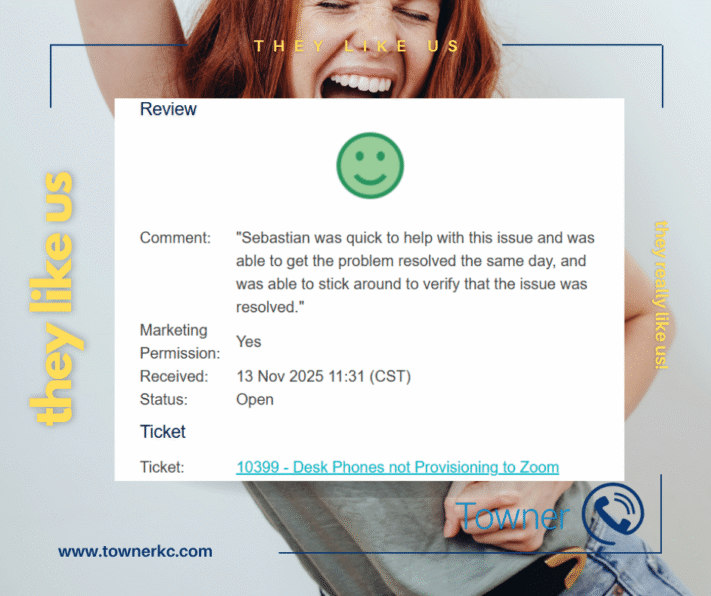
After working with Towner’s support team, the customer shared the following feedback:
What The Customer Said
“Sebastian was quick to help with this issue and was able to get the problem resolved the same day, and was able to stick around to verify that the issue was resolved.”
While the review itself is short, it highlights something businesses consistently value from their telecommunications provider: responsive support that stays engaged until the issue is truly resolved.
Quick Answer
Quick Answer: A Zoom Phone provisioning issue occurs when a device cannot successfully register with the Zoom Phone platform and receive the configuration required for normal operation.
In this case, a Kansas organization experienced provisioning problems affecting Yealink desk phones. Towner worked directly with the customer to restore provisioning functionality, verify successful operation, and ensure communications services were working properly before the ticket was closed.
Key Takeaways From This Review
Challenge
Multiple Yealink T54W desk phones were unable to provision successfully into Zoom Phone, preventing users from fully utilizing their business communications system.
Root Cause
Provisioning failures can occur for several reasons, including registration conflicts, device configuration problems, network restrictions, firmware-related issues, or cloud provisioning errors.
Solution
Towner’s support team worked directly with the customer to troubleshoot the issue, restore provisioning functionality, and confirm successful device operation.
Business Outcome
The phones were successfully brought online, communications services were restored, and disruption to users was minimized.
Customer Feedback
The customer specifically recognized the speed of support, same-day resolution, and commitment to verifying the solution before ticket closure.
Why It Matters
Business communications systems are critical infrastructure. Fast response and accurate troubleshooting help organizations reduce downtime and keep employees connected.
What Is a Zoom Phone Provisioning Issue?
A Zoom Phone provisioning issue occurs when a desk phone cannot successfully connect to the Zoom Phone platform and receive the configuration settings required for normal operation.
Provisioning is the process that allows a device to register with the phone system, receive updates, and become ready to make and receive calls. When provisioning fails, users may be unable to access critical communications services.
Common provisioning problems can affect both new deployments and existing devices that are being reconfigured or reassigned.
Common Symptoms of a Zoom Phone Provisioning Issue
Organizations experiencing Zoom Phone provisioning problems often report:
- Desk phones not registering with Zoom Phone
- Devices stuck during activation
- Zero-touch provisioning failures
- Phones repeatedly rebooting during setup
- Inability to place or receive calls
- Missing device configurations
- New phones not appearing in Zoom administration portals
- Factory resets that do not resolve the problem
While the symptoms may appear similar, the underlying causes can vary significantly depending on the device, network environment, and cloud communications configuration.
The Story Behind This Customer Review
The customer contacted Towner after encountering provisioning issues affecting multiple Yealink T54W desk phones.
Devices had already been factory reset, but they still would not successfully provision into the Zoom Phone environment.
Because business communications systems are relied upon throughout the workday, delays in device deployment can create unnecessary disruption for employees and support teams.
Rather than simply providing generic troubleshooting steps, Towner worked directly with the customer to identify the source of the provisioning issue and restore functionality.
The issue was addressed the same day, and the customer later requested ticket closure after confirming the solution had been successful.
Diagnosing Zoom Phone Provisioning Problems
Provisioning issues can be caused by several factors, including:
Device Registration Conflicts
A device may already be associated with another configuration or registration profile, preventing successful onboarding.
Incorrect Provisioning Settings
Misconfigured provisioning records can prevent a phone from communicating properly with Zoom Phone services.
Firmware Compatibility Issues
Older firmware versions can sometimes interfere with provisioning and registration processes.
Network Connectivity Restrictions
Firewalls, security policies, or connectivity issues may prevent devices from reaching required provisioning services.
Device Assignment Errors
Incorrect user or device assignments can cause activation failures and incomplete registrations.
Identifying the correct root cause is often the most important step in restoring service quickly.
How Towner Resolved the Issue
Towner’s support team worked directly with the customer to troubleshoot the provisioning failures and bring the devices online.
After resolving the issue, the team remained engaged long enough to verify successful operation rather than immediately closing the ticket.
That verification process is important because a technical fix only matters if the customer can successfully use the system afterward.
The customer specifically referenced both the speed of support and the commitment to ensuring the issue was fully resolved before closure.
Why Responsive Telecommunications Support Matters
Many organizations evaluate telecommunications providers based on products and pricing.
The real test usually comes when something stops working.
Business communications systems support:
- Customer interactions
- Internal collaboration
- Client meetings
- Team productivity
- Daily operations
When communications are interrupted, organizations need support teams that can respond quickly and resolve issues efficiently.
This review demonstrates how responsive telecommunications support can help minimize disruption and restore confidence in critical communications infrastructure.
What This Review Tells Us About Business Communications Support
This customer experience highlights several characteristics businesses often look for in a telecommunications partner:
Fast Response
The issue was addressed quickly after being reported.
Technical Expertise
Our support team successfully resolved a provisioning issue affecting cloud communications technology.
Clear Communication
The customer remained informed throughout the troubleshooting process.
Verification Before Closure
A solution was confirmed before the issue was considered complete.
Customer-Focused Support
Towner’s goal was not simply to close a ticket. The goal was to restore communications and ensure the customer was successful.
Organizations Commonly Affected by Provisioning Issues
Provisioning challenges can affect organizations of all sizes, including:
- Financial services firms
- Healthcare organizations
- Professional services firms
- Manufacturing companies
- Educational institutions
- Government agencies
- Multi-location businesses
Any organization utilizing cloud voice or unified communications platforms may encounter provisioning issues during deployment or device management activities.
Need Help Resolving a Zoom Phone Provisioning Issue?
When desk phones fail to provision correctly, communication disruptions can quickly impact productivity and customer service.
Whether the issue involves Zoom Phone, Yealink devices, cloud voice services, or broader business communications infrastructure, timely troubleshooting can help restore service and reduce downtime.
Contact Towner to learn more about telecommunications support, business communications solutions, and unified communications expertise.
Expert Insight: Why Zoom Phone Provisioning Issues Require More Than a Device Reset
One of the most common misconceptions surrounding Zoom Phone provisioning issues is that the problem always originates with the phone itself.
In reality, provisioning failures can occur at multiple points throughout the communications environment. Device assignments, cloud configurations, registration conflicts, firmware compatibility, and network policies can all prevent a phone from successfully connecting to the platform.
This is why simply factory resetting a device does not always resolve the issue.
Effective troubleshooting requires understanding how the phone, provisioning service, user profile, and communications platform interact with one another. The goal is not just to get a device online temporarily. The goal is to identify the root cause, restore reliable service, and ensure the issue does not continue affecting users.
For organizations that rely on business communications systems every day, a structured troubleshooting process can significantly reduce downtime and improve long-term system reliability.
Related Problems Businesses Search For
Organizations researching Zoom Phone provisioning issues often search for:
- Desk phones not provisioning to Zoom
- Zoom Phone activation failed
- Zoom zero-touch provisioning not working
- Yealink phone not registering
- Zoom Phone registration error
- New business phones not connecting
- Cloud phone deployment issues
- Zoom Phone troubleshooting
- Business phone activation problems
- Unified communications support
Understanding these related issues helps organizations identify potential causes and seek assistance more quickly.
Serving Businesses Throughout Kansas and the Midwest
Organizations throughout Missouri, Kansas, Wisconsin and across the nation rely on dependable business communications to support employees, customers, and daily operations.
Towner provides telecommunications, business communications, cloud voice, and unified communications expertise for organizations across Kansas, Missouri, and the broader Midwest.
Frequently Asked Questions About Zoom Phone Provisioning Issues
What is a Zoom Phone provisioning issue?
A Zoom Phone provisioning issue occurs when a desk phone cannot successfully connect to the Zoom Phone platform and receive the configuration settings required for normal operation. When provisioning fails, users may be unable to make calls, receive calls, or access business communications features.
Can a factory reset fix a Zoom Phone provisioning issue?
Sometimes, but not always. While a factory reset can resolve certain device-related problems, many provisioning failures originate from cloud configuration settings, registration conflicts, or platform-level issues that require additional troubleshooting.
How long does it take to resolve a Zoom Phone provisioning issue?
Resolution times depend on the complexity of the issue. Some provisioning problems can be resolved quickly, while others require deeper troubleshooting involving device configurations, network settings, and cloud communications platforms.
Why won’t my Yealink phone provision into Zoom Phone?
Yealink phones may fail to provision because of device registration conflicts, firmware compatibility issues, incorrect assignments, provisioning configuration errors, or network restrictions. Identifying the root cause is often necessary before the device can successfully connect.
What causes Zoom zero-touch provisioning to fail?
Zoom zero-touch provisioning can fail due to incorrect device records, assignment errors, firmware problems, network connectivity restrictions, or communication issues between the device and provisioning services. The exact cause varies by deployment environment.
Why is responsive telecommunications support important during a provisioning issue?
Business communications systems support daily operations, customer interactions, and employee collaboration. Fast, knowledgeable support helps reduce downtime, restore service more quickly, and minimize disruption when communications problems occur.