What’s the benefit of a Mobile Workforce? Some people will say employee morale. Others will say shorter commutes. Some will even tout health benefits. And those are all true. But they don’t make a business case.
What does?
At Towner Communications, we know going mobile saves your business time and money–increasing productivity and efficiently, reducing costs, etc. And even though much of the literature on the subject today focuses on employee benefits and soft advantages, there are plenty of concrete business reasons to embrace mobilizing your enterprise.
So we rolled up our sleeves, did some research and put together this infographic so you have the full picture of the true business benefits of a mobile enterprise. From ensuring business continuity to reducing communications latency to saving on employee compensation, here are eight reasons to untether your business.
If video killed the radio star, jurors would agree that mobility killed the traditional workday. Mobility turned your once immobile desktop computer into a 13-inch laptop you can carry home with you, and spawned miniature tablets and ever-present, pocket-sized smartphones. Your mobile devices coupled with cloud technology give you instant and constant access to your virtual cubicle.
Increased mobility means work is no longer a place you go; it’s a thing you do.
If the concept above made you cringe in fear of a vacation riddled with email notifications or turn green with envy at France’s developing after-work email regulations, you might want to re-evaluate your perspective. Studies continue to uncover the benefits of implementing an enterprise mobility strategy – for both your employees and your business’s bottom line.
Four ways to profit from your mobility strategy with unified communications and collaboration (UCC)
1) Boost employee satisfaction
36% of employees stated they would choose flexible working options over a pay raise. Thirty-seven percent even said they would take a pay cut in order to work from home.
2) Increase productivity
Industry big wigs like Best Buy, British Telecom and Dow Chemical have reported that teleworkers are 35-40 percent more productive than those without flexible working options. Teleworkers also often work longer hours than their office-bound coworkers.
3) Recruit top talent in a competitive market
Studies show tech-savvy millennials are more difficult to recruit, but are particularly attracted to flexible work options. UCCalso empowers businesses to hire the best employees for the job no matter where they’re located geographically, and enable them to collaborate with their coworkers as easily as if they were in the office.
4) Eliminate unnecessary service disruptions
Unscheduled absences (like sick days) cost US employers roughly $1,800 per employee each year. Global Workplace Analytics reports that mobile-enabled workers typically continue to work remotely when they’re sick, avoiding both negatively impacting business operations and spreading illness throughout the office. Additionally, flexible work arrangements allow workers to run errands or take personal appointments without losing a full day of work.
Taking a mobile-first approach to reap the benefits of UCC
Since more and more employees are on the move or working remotely, it’s important to provide them with an in-office experience no matter where their days take them. That means rather than mimicking desktop design and functionality, mobile clients should be built from the ground up to work natively on mobile devices.
It should also be extremely easy for employees to get up and running on their mobile devices through automated provisioning, which will save time and money for both mobile workers and for your help desk.
Seven Steps for Creating a Successful Digital Customer Experience
The digital experience is becoming more and more important. Luckily, there are easy seven steps you can take to transition your customer experience from dated to digital.
1. Take responsibility
Who is ultimately responsible for customer engagements: the CEO, sales director, marketing director, customer service director? If this isn’t immediately clear within your organization, then your journey to a digital customer experience is already off to a bad start. Once you’ve determined who is responsible, they can begin defining the customer experience strategy. What should this strategy include?
Keep in mind that responsibility goes beyond the “owner” of the customer. Here at Towner Communications, we believe that it extends to anyone that will be affected by the customer experience strategy. Therefore, taking responsibility for the customer experience starts with hiring the right people, enabling those people to take ownership of customer experience issues, empowering staff to solve problems without escalations, finding solutions, and fixing problems quickly.
Ultimately, the goal is to understand customers, give them the experiences they want, and keep those experiences consistent across all touch points. This will create loyal customers.
2. Understand the stakeholders
Find out as much as possible about the experiences of your agents and other customer service staff. Most importantly, understand your customers’ preferences:
What is their preferred way of communicating?
What are their expectations and needs around operating hours?
How willing are they to self-serve?
What emerging technologies are starting to become more important to them?
This treasure trove of information can be put to good use ensuring that optimum customer journeys are aligned to workflows.
Involve your IT team at an early stage and outline the value and purpose of your technology solution. Plan for CRM system integration and allow the team to evaluate whether any changes to underlying infrastructure are necessary.
Consider the impact on:
Architecture: Do you have IT staff on-site to manage premise equipment or does a cloud-based deployment make more sense? Are there multiple sites? Will you need redundant, resilient, or highly available contact center servers?
Contact center workers: Do agents and supervisors work only on site or do they have the option to work from home or while they’re on the road?
Integrations: Are there other business systems that must be integrated with the contact center, such as ERP tools? Are there other ordering, fulfilment, and support tools that can be integrated into the contact center to streamline business processes?
Finally, give the marketing team the opportunity to influence how brand perception can be improved.
3. Automate common inquires with self-service capabilities
With modern digital customer experience tools, self-service is no longer restricted to voice interactions. Analyze frequently asked questions, simple agent transactions (whether through voice, web chat, SMS, etc.), and customer survey responses to decide which processes are the most suitable for automation. Use digital workflow routing capabilities to provide self-service to customers through email auto-acknowledgements, automated web chat responses, and even inbound and outbound SMS inquiries.
Self-service options offer a significant opportunity to improve the customer experience and reduce costs. They have a critical role to play in your digital customer experience. But, take nothing for granted. There are plenty of examples of organizations that fail to empathize sufficiently with customer frustrations around automation. These organizations then establish self-service options that don’t meet customer expectations
4. Prepare for the full scope of digital channels
Whether it’s social, web chat, email, or SMS, all channels represent some level of importance to your customers. If you aren’t ready to apply the full scope of options, identify which channels are most important to your business based on your target demographic and the nature of your customer relationships, and leverage a modular approach that lets you scale up and out over time, and plug in specific capabilities where applicable. Mobile apps are the fastest growing digital channel today. Make sure you’re in a position to take advantage of this channel and other trends when the time is right, without having to re-engineer your entire infrastructure.
5. Empower your agents
Deploy state-of-the-art tools that enable employees to work efficiently and with flexibility:
Select the right phone solution for seamless integration with remote agents, CRM, chat/presence engines, and other business processes
Define unified communications capabilities to ensure customer queries can be resolved first time by empowering agents to instantly locate, message or conference-in subject matter experts to obtain immediate answers
Provide special service levels for VIP customers by profiling, identifying, and prioritizing them through skills-based or preferred agent routing
Offer call-back services and self-service options to smooth out peaks and extend availability
Implement mobile solutions to allow agents and supervisors to work from anywhere at any time
Use analytics and reporting to enable root-cause analysis and improve future processes
Consider work force management solutions to help predict call volumes and optimize resourcing
Include call recording to meet regulatory compliance and for training purposes
6. Run a tight ship
Build a modern and reliable customer service environment that integrates traditional ACD with sophisticated voice and digital workflow processes and multiple customer contact points. Ensure business continuity with robust and highly resilient communications solutions designed to provide seamless and uninterrupted service, and no loss of reporting or real-time capabilities during hardware failure or network outages. Most importantly, wherever possible, leverage virtual networking and process options to reduce hardware and operations costs.
7. Apply effective management and reporting metrics
Maintain constant business and operational visibility over the customer experience you provide by leveraging feature-rich, real-time management and reporting tools.
Integrate management capabilities, such as quality monitoring, call recording, outbound dialing, and campaign management.
Ensure you can “join the dots” at the management and agent level by combining the power of multiple management applications. For example, potential spikes in demand can be predicted via global social media monitoring and addressed immediately through agent workforce scheduling. Similarly, reporting and call recording can provide insights on scheduling, agent metrics, and campaign performance.
Business Practices for the Mobile Workforce: A Truly Global Market
Such a significant shift in business practices alongside countless technological innovations is set to make businesses more nimble, efficient and competitive. For example, city-wide cloud computing platforms could help start-ups take advantage of new technologies and applications without having to invest huge sums of money in in-house hardware and software.
The global talent pool
The virtual model is already altering recruitment strategies too. Faced with a global skills shortage, good talent is increasingly hard to find, but technology has created a global talent market that simply wasn’t accessible previously. This means that the labor market will need to prepare for an extremely competitive landscape, but at the same time businesses can prosper with a globally best-in-class workforce. For the HR team, this poses new questions/challenges: how does a company’s use of local talent weigh up against a remote workforce?
Striking a healthy balance and supporting remote workers through the provision of collaboration tools and creating productive environments for small work groups when they need to get together will become critical. Online freelance worker platforms like Elance.com are already contributing to the shift in business dynamics as the adoption of contracted workers for many types of job functions grows. Many SMEs and startups have already embraced hiring and managing talent ‘in the cloud’ in this way, but we are also now seeing a sharp increase in Fortune 1000 and FT 500 companies moving into the human cloud.
Business agility
Large and multinational enterprises are adopting the online employment model that gives them the flexibility to scale up and down, hire faster, make cost savings and take advantage of ‘act on demand’ opportunities. Towner Communications provides the tools that are needed to reflect this dynamic model. Increasingly, individuals are adopting ‘portfolio careers’ whereby they undertake several paid activities simultaneously rather than being limited to a single job role. This lends itself perfectly to the new freedoms and flexibility of the next generation work model. All of these trends make for a much more fertile landscape for start-ups setting up shop, but it doesn’t need to stop at the entrepreneur.Today’s businesses have access to free tools, innovative cloud-based technologies and vast internet resources. The next generation work model brings great opportunity but also poses challenges for many different parts of a business and all divisions will be impacted, from HR and operations to sales and finance.
The things you’re likely to hear among your social circle aren’t that different from what your customers talk about when it comes to business. Just as you might spend Friday night at your favorite bar talking about everything and anything amongst your closest group of friends, your customers are swapping stories that include their experiences with the kind of service your brand delivers—whether they realize it or not. They’re pushing carts past each other at the grocery store, sitting next to each other at the nail salon and bumping into each other at the gym. These are all perfect times to chat about what’s on their minds, and you don’t want it to be negative blows to your business.
Let’s not pretend like we haven’t heard this kind of talk before: “Ugh, I was on the phone for almost an hour with the most annoying call center agent.” or “Why do they make it so hard to sort out a minor issue?”
According to a 2012 Global Customer Service Barometer conducted by Echo, customers are twice as likely to share their bad customer service experiences rather than talk about good ones. So, the question here is simple: How easy is it for customers to do business with you?
If your customers are putting your business down, the reason may have nothing to do with the staff or strategies you employ. Rather, it could have everything to do with the technology you deploy. For example, research from Forrester shows that 42 percent of service agents are unable to efficiently resolve customer issues solely due to disconnected systems, archaic user interfaces and multiple applications.
The answer? Unified communications (UC). Empowering your service agents with unified communications solutions like Web and video chat helps them get to the root of customer issues and inquiries with lightning speed; meanwhile, presence, conferencing and mobility capabilities enable your internal team to stay dynamic and team-ready to support your customer base.
Four (Not So) Obvious Ways BYOD Can Help Team Collaboration
The BYOD (bring your own device) discussion is still as relevant today as it was when the conversation started years ago, raising questions about productivity, cost savings and network preparedness. And with a millennial mentality surging through the workforce, the conversation of pros and cons of BYOD is actually even more critical to address.
For us telecom and IT junkies, the fun parts of BYOD are all about the network. How do we prepare for bandwidth intensive applications? How do we mitigate security concerns that come along with BYOD? How will a cloud or on-premises or even a hybrid phone system affect a BYOD model? Even if you’re not an IT or telecom junkie, these are very serious questions that you should definitely talk about with your business phone provider.
What about all of you business owners and leaders out there looking for the holistic business benefits of a BYOD communications model? We have one word for you. Collaboration. Ok, make that five words – higher productivity and seamless collaboration. You might be saying, “A device is a device. Does it really matter where it comes from?”
Here are four reasons the answer is YES:
1) Adds 2 productive hours to the day
According to a study conducted by BMC Software, employees engaging with business collaboration apps work 120 more productive minutes every day.
2) Freedom to work whenever you need to
We are no longer confined to a 9-5 work day. Productivity takes places at any given hour of the day. At least 30 percent of BYOD workers check their email and other business collaboration apps between 6am – 7am, and 20 percent between 11pm – 12am. Enabling employees to access business collaboration applications from their own devices will increase their willingness to put in the work time, no matter when or where.
3) Less is more. Seriously.
Let’s be real. How many people want or need to carry around two phones or two devices? Giving your employees the weightless freedom to carry the device they want, no matter when or where they are, will not only increase productivity, but enhance creativity, attention to detail and overall effectiveness.
4) 10,000 pennies saved is 10,000 pennies earned
Last but not least, let’s not ignore the pure cost benefit. BYOD is a clear cost benefit to businesses. The employee, who already has the necessary devices to enable applications for business reasons, has already absorbed the cost of the device itself, along with services. According to Gartner, even back in 2014, “IT leaders can spend half a million dollars to buy and support 1,000 enterprise-owned tablets, while they can support 2,745 user-owned tablets with that same budget.” That’s nearly three times more devices on the same budget. And that’s just the start.
Learn more about our MiTeam Collaboration collaboration software >
How You Can Shave an Hour from Your Workday with Team Collaboration in Just Five Minutes
Here’s something to think about the next time you’re listening to music on hold: How much time does inefficient communication drain from your workday? The answer may surprise you.
The average knowledge worker, according to some estimates, spends more than one hour every day simply trying to communicate with people: checking emails, setting up meetings, leaving voicemails, etc.
And that doesn’t take into account the delays that result as you wait for people to check those emails or voicemails and get back to you.
Fortunately, there’s a great way to trim this waste out of your workday, and it doesn’t require that you go on a communications diet. In fact, you can communicate and collaborate all you want—and keep saving time as you do it. The secret is to unify your communications in the cloud. By putting all of your communications and collaboration tools into one application and hosting it in the cloud, you can trim seventy minutes or more from your workday and get more done. Here’s how.
Studies show that workers spend as much as 40 minutes (or more) each day checking and re-checking different messaging applications including email, voicemail, texts/IMs and other apps. With unified communications (UC) in the cloud, all messages can be corralled into a single app and screen, so you don’t need to open up and check multiple apps, multiple times per day. And with services like voicemail-to-text, you can save even more time by converting your voicemails into email messages.
2. Reach colleagues right away (Save 30 minutes per day)
Find-me/follow-me, call forwarding, single-number service—call it what you will, when calls go directly to the right person rather than their voicemail, it saves a lot of time. (On the other side of that coin, it can take eight hours or more before a person listens to their voicemails.) Factor in presence-based communications tools that let you know when called parties are available, and you can cut down your phone-tag time by half an hour every day.
3. Don’t juggle other people’s calendars (Save time and your sanity)
Arranging a multi-party conference call can feel like herding cats; as soon as one gets in line, another escapes. Cloud-based UC tools simplify real-time collaboration by allowing you to launch a video- or audio conference on the fly, or view colleagues’ status to see when they’re available.
4. Have the answers now—and not when you’re back in the office (Save time, gas and customer relationships)
Knowledge workers need access to critical, and often sensitive, business information from wherever they’re working: at home, at a client site, on the road, etc. Cloud-based communications allow employees to quickly locate and retrieve information in real time from any device—and not just when they’re back in the office at their computer. That means customers can get answers faster, and stay happier longer.
Of course, not all cloud solutions are created equal. You need to consider cost, complexity, security, reliability and compatibility with the tools you use today. And when everything is considered, more companies choose Mitel for their business cloud communications than any other provider in the world.
Learn more about Towner Communications and the MiTeam cloud collaboration suite >
A note to small and medium businesses: You can have it all with Cloud-Mobile.
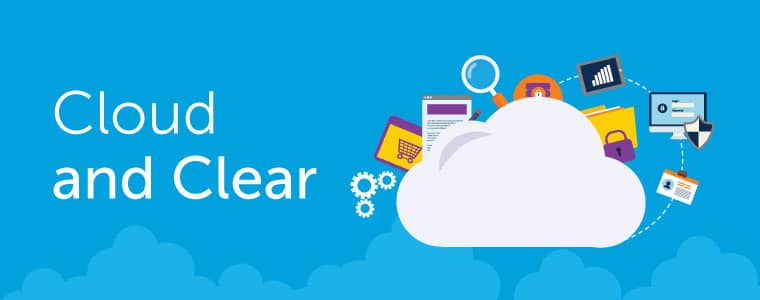
That’s the message from T-Mobile and Mitel, as the two companies launch a new-look approach to the old challenge of fixed-mobile convergence (FMC) in select European markets. Marketed as Cloud & Clear, the new offering is an update to the traditional FMC goal of combining fixed (i.e., landline) and mobile phone calls into a single seamless experience that can share the same number and call features.
As its name implies, the new wrinkle in T-Mobile’s offering is the cloud, which now replaces the traditional premise-based portion of the fixed phone experience and provides a smoother migration path to the cloud for enterprises. Targeted initially to the small and medium business market, Cloud & Clear features a variety of Towner Communications technology including our collaboration, unified communications and VoIP solutions—technology that is already well entrenched in thousands of SMBs worldwide.
Recognizing that not all users have the same communications requirements, enterprises can use Cloud & Clear to select and customize user profiles based on common consumption models. Office workers, mobile workers, telecommuters and road warriors are each assigned their own set of features and services to keep costs low and productivity high.
The new solution is currently being rolled out in Europe through T-Mobile’s business partners and will enable the mobile service provider to better serve SMB customers—particularly those that are looking for a seamless migration from their current premise-based phone systems to the cloud.
Decision Tree: Cloud vs On-Primises vs Hybrid Communications
If you’ve considered upgrading your business phone system, chances are you’ve looked at the differences between cloud hosted systems and on-premises systems—and maybe even discovered the hybrid communications system option, which bridges cloud and on-premises environments. You might also have uncovered a ton of information about the differences online. But what are you supposed to do with all that information? Does it put you any closer to a decision? For many businesses, the answer is no.
So we at Towner Communications put together this simple decision tree to help make things easier. It helps you work thought the most common, critical decision points that most businesses have to take into account. Is it a substitute for a consultation with a Mitel rep or your authorized Mitel partner? Probably not. But it’s a great place to start and will give you a much better idea of which way you should be leaning.
THE BUSY PERSON’S GUIDE TO CLOUD COMMUNICATIONS: As children, we discover that the cloud, like a snowflake, aren’t all created the same. There are cirrus clouds (wispy), cumulus clouds (white and fluffy) and stratus clouds (sheet-like) varieties with a seemingly endless number of sub-varieties. In the same way, cloud communications technology has its own categories—public, private and hybrid cloud communications systems. Telling them apart isn’t as simple as matching a shape with a name and, as a result, there’s a good deal of confusion around what each entails. We created this post to clear up some of that cloud confusion and help you decide which kind of cloud might be right for you.
Public Cloud
The public cloud is what most of us think of when we hear about a system or application being offered in the cloud. As its name implies, it’s publicly available infrastructure that is constructed as a multi-tenant system (i.e., multiple businesses using the same infrastructure) and leased to companies on a sliding monthly scale depending on the amount of cloud capacity they need. Amazon Web Services and Google’s Cloud Storage are examples of public cloud platforms, as are application-specific public cloud offerings like Adobe Creative Cloud and Salesforce.com.
Public clouds are popular because they often feature a low entry cost (remember, you’re not buying any hardware with a public cloud solution) and fast access to vast amounts of capacity during demand spikes. For example, a videoconferencing system deployed in a public cloud could scale out seamlessly to handle high demand during an all-hands meeting, then scale back down when the meeting has ended. Unfortunately, the “public” aspect of the public cloud can present security concerns for enterprises, particularly in heavily-regulated industries, like financial services and healthcare.
Private Cloud
In situations where security trumps cost, a private cloud is the better path. A private cloud often features many of the same scales of efficiency as a public cloud—virtualization, converged infrastructure, etc.—with the distinction that it’s a private, dedicated system residing in the enterprise’s own data center instead of hosted remotely by a third party. The shielded nature of the private cloud allows enterprises to manage access and security in order to meet industry compliance requirements and protect sensitive data. That security, however, comes at a cost; private clouds are typically more expensive than public clouds because of the investment in hardware and the IT resources required to manage them.
Hybrid Cloud
The third type of cloud, hybrid cloud, is really a mixture of public and private clouds. Why would you want to mix cloud types? Well, let’s consider our earlier scale-out example of videoconferencing. In a private cloud architecture, an enterprise would need to overprovision their private cloud to meet peak demand. In other words, much of the time, a sizeable portion of their private cloud would go unused. By extending their private cloud with extra capacity in the public cloud during peak usage periods—a technique known as cloudbursting—enterprises could ensure high performance levels at a lower cost without compromising security.
Which one’s right for you?
As you can see, choosing the right cloud for the job depends on the type of application you have in mind. To give you the most flexibility in the future, look for cloud solutions that support standards like OpenStack and popular hypervisors like VMware’s vSphere. That way, Towner will be able to integrate public and private cloud environments more easily when the need arises.